

Import History
Import History
Introduction
The Import History page keeps a running log of every event imported into your site.
Purpose
Use the history log to troubleshoot failed imports, review recent activity, or verify what data was fetched.
Step-by-step Instructions
1. Go to Import Luma > Import History.
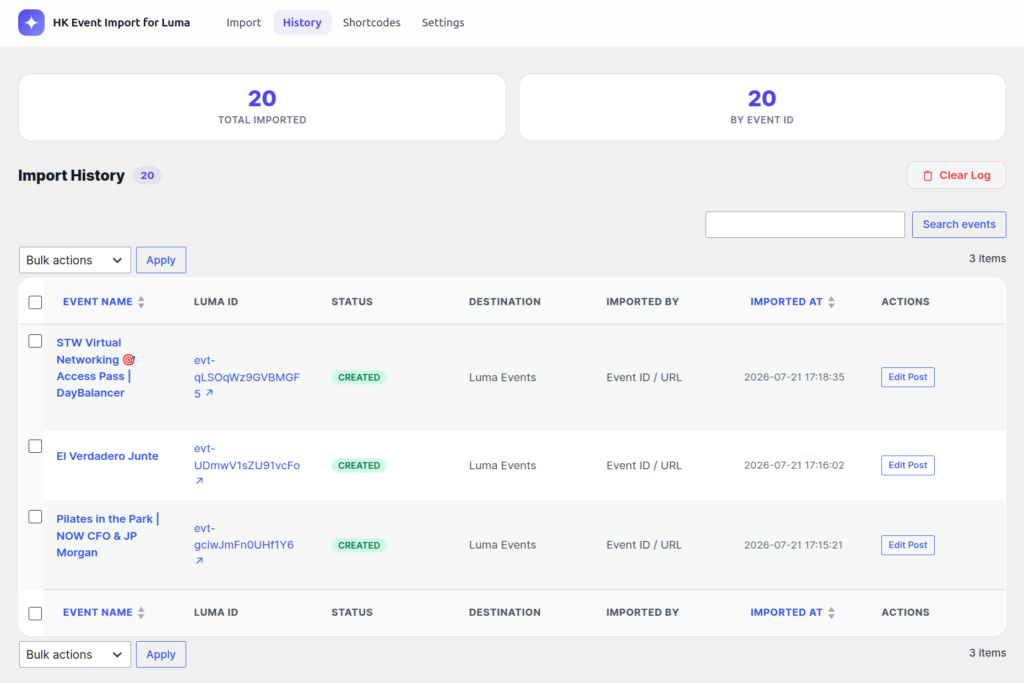
Understanding the Log
The table displays:
– Event Name: The title of the event.
– Luma ID: The unique identifier for the event on Luma.
– Action: Whether the event was `created`, `updated`, `skipped`, or `failed`.
– Imported At: The date and time the import occurred.
– Method: How the event was imported (e.g., by Event ID).
> Tip: The log retains up to the last 500 import actions. Older actions are automatically purged to keep your database clean.
Upgrade to HK Event Import for Luma Pro
Get access to premium features, faster updates, and dedicated support.
Was this article helpful?
Thanks for letting us know!