

Managing Events
Managing Events
Introduction
Imported events are stored securely in a custom post type (CPT) within your WordPress database.
Purpose
Learn how to find, edit, and organize your imported events.
Step-by-step Instructions
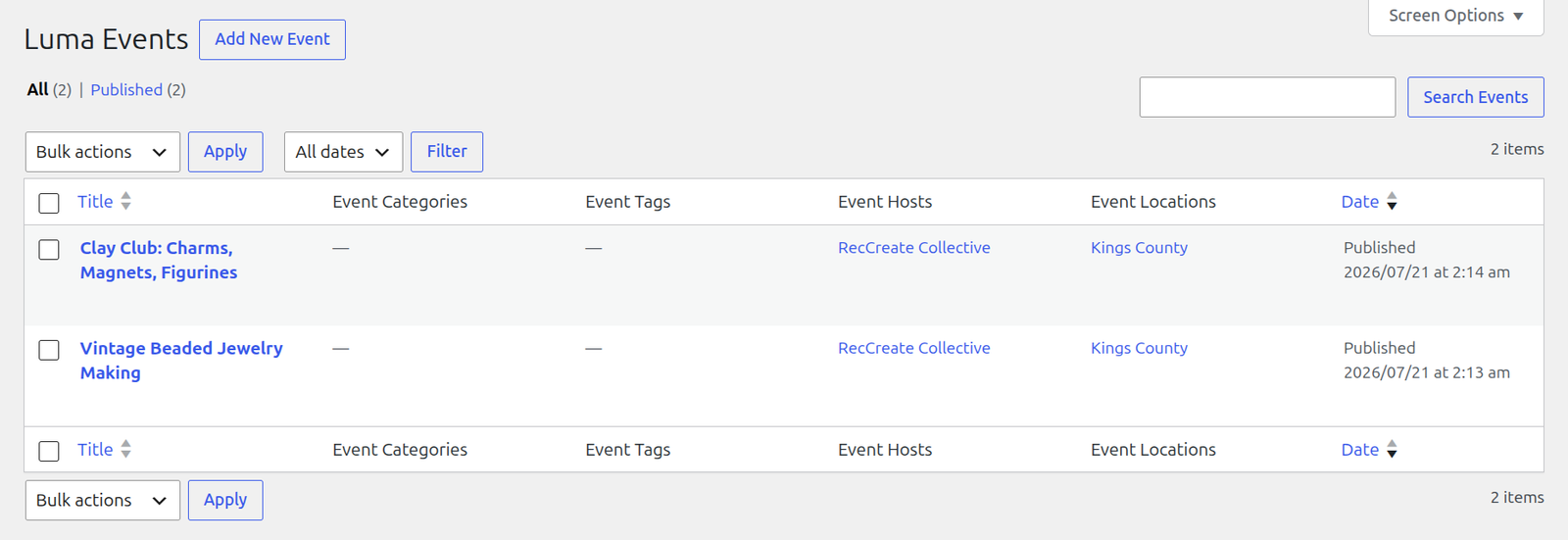
1. In your WordPress sidebar, go to Luma Events (or Events under the custom post type menu).
Editing Event Details
1. Click on any event title to edit it.
2. You will see the event description converted cleanly into Gutenberg blocks.
3. The Featured Image is automatically populated if enabled in settings.
Taxonomies
The plugin automatically registers several taxonomies to organize your events:
– Event Categories: General grouping (e.g. Technology, Art).
– Event Tags: Specific keywords.
– Event Hosts: Information about the host, including their avatar and Luma profile link.
– Event Locations: Venue details including the venue name, city, address, and map coordinates.
> Note: The plugin handles online events natively. If an event is online, the venue will clearly indicate “Online Event” and attach the meeting URL.
Upgrade to HK Event Import for Luma Pro
Get access to premium features, faster updates, and dedicated support.
Was this article helpful?
Thanks for letting us know!