

Importing Events
Importing Events
Introduction
The primary feature of HK Event Import for Luma is its simple interface for grabbing Luma events using Event IDs or URLs.
Purpose
Learn how to quickly import single or multiple events simultaneously.
Step-by-step Instructions
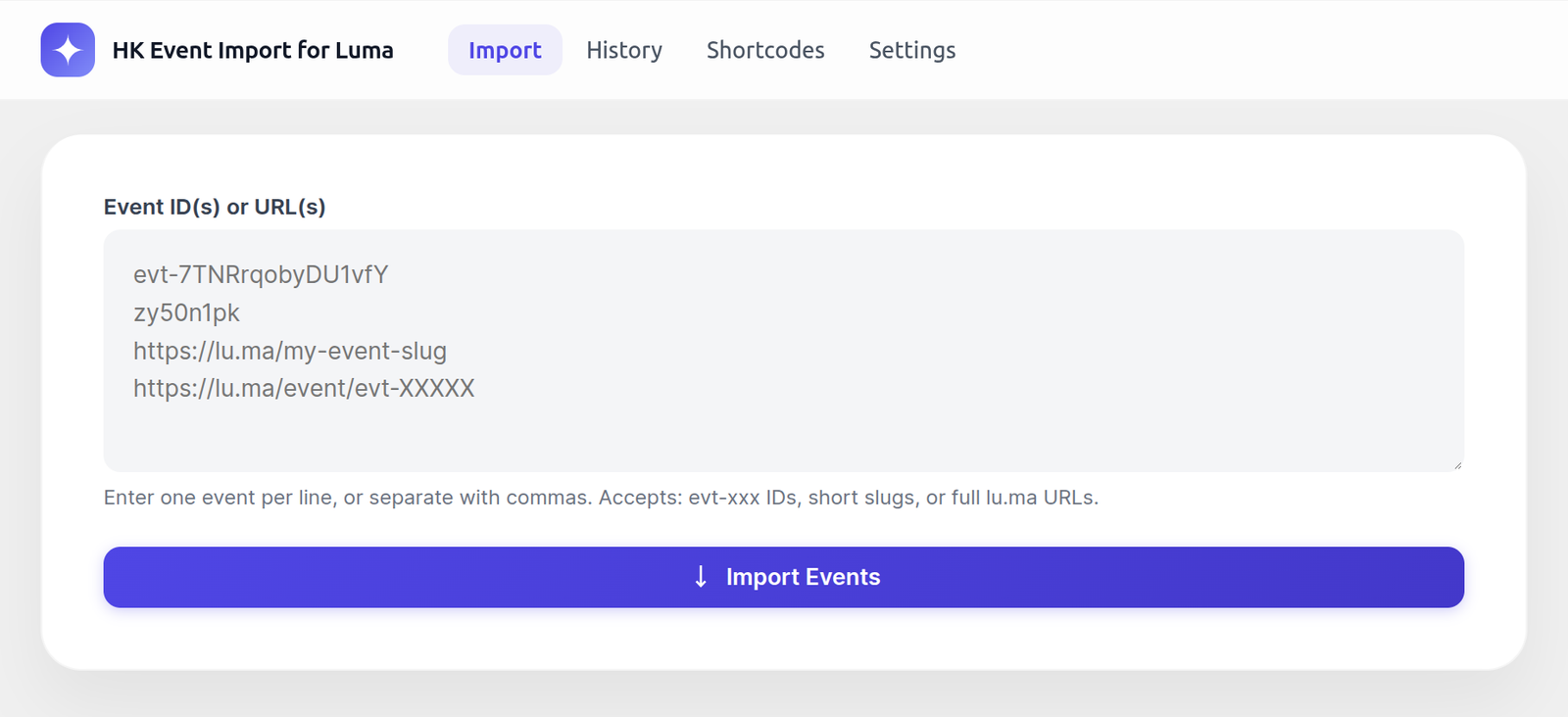
1. Go to Import Luma > Import Events.
Finding your Event ID
Event IDs can be found in the URL of any Luma event page:
– `https://lu.ma/evt-7TNRrqobyDU1vfY` → ID is `evt-7TNRrqobyDU1vfY`
– `https://lu.ma/my-event-slug` → Slug is `my-event-slug`
Running the Import
1. In the Event ID(s) or URL(s) text box, paste your Luma Event ID or full URL.
2. You can paste multiple events at once! Just put each one on a new line, or separate them by commas.
3. Click the Import Events button.
4. The plugin will display a progress indicator and notify you when the import is complete.
> Note: Advanced import methods (like importing entire calendars automatically) require the Pro version of the plugin. Look for the “Pro Lock” features in the admin area if you wish to upgrade.
Upgrade to HK Event Import for Luma Pro
Get access to premium features, faster updates, and dedicated support.
Was this article helpful?
Thanks for letting us know!